# Change typography
In Quantum Design, we consider typography an Atom, as it is composed of Quarks (tokens). For this reason, in our kit, you'll find the typography within the component library and not as Figma styles. If you want to modify any value, you can do so through the variables panel.
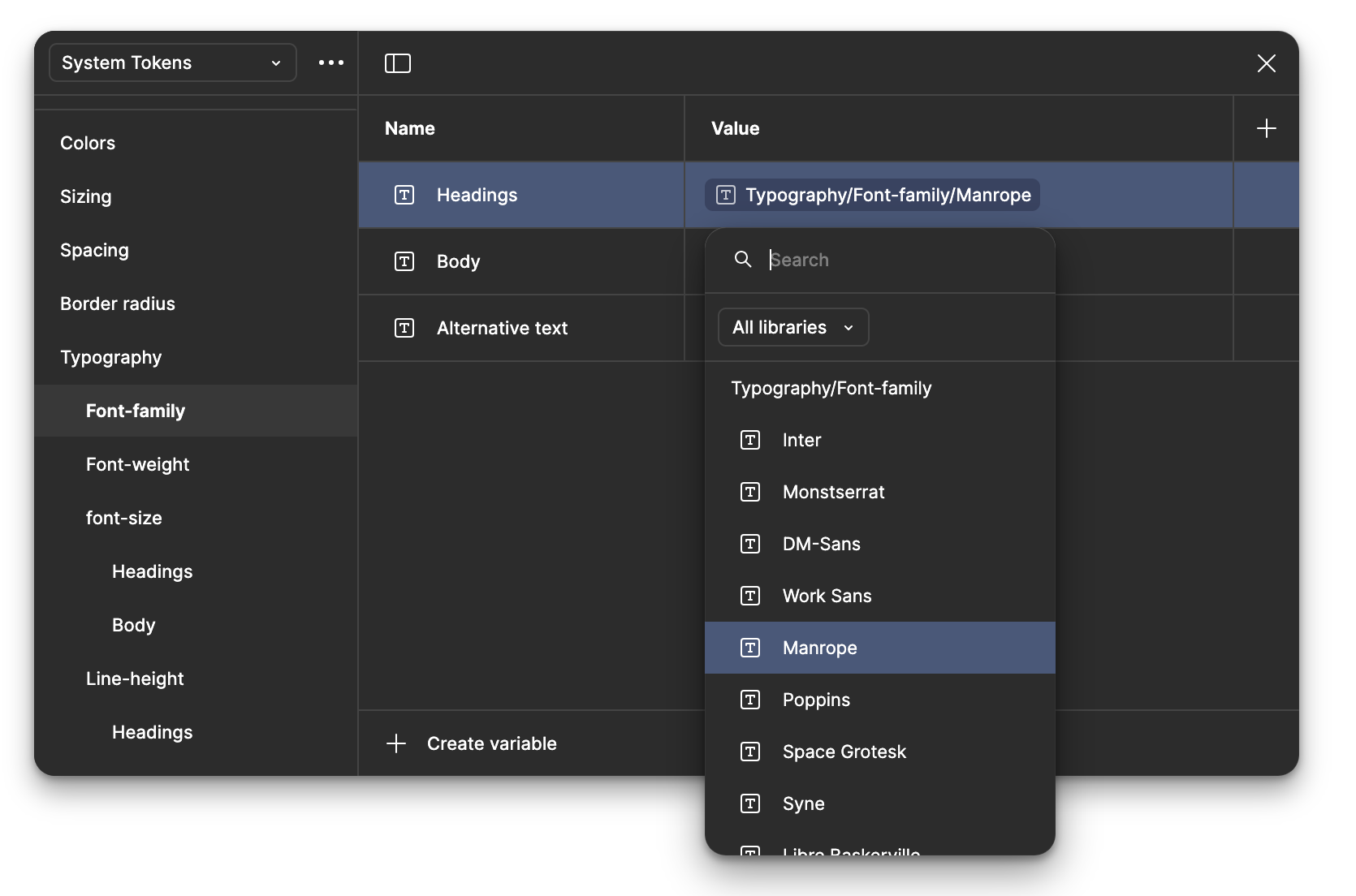
Our free Figma kit includes 16 carefully selected font families to ensure excellent legibility, all configured via variables. If you wish to change the typography to one of the pre-configured options, simply access the variables panel, go to the System Tokens collection, find the Typography category, and select the font you want for the Headings, Body, or Alternative Text.
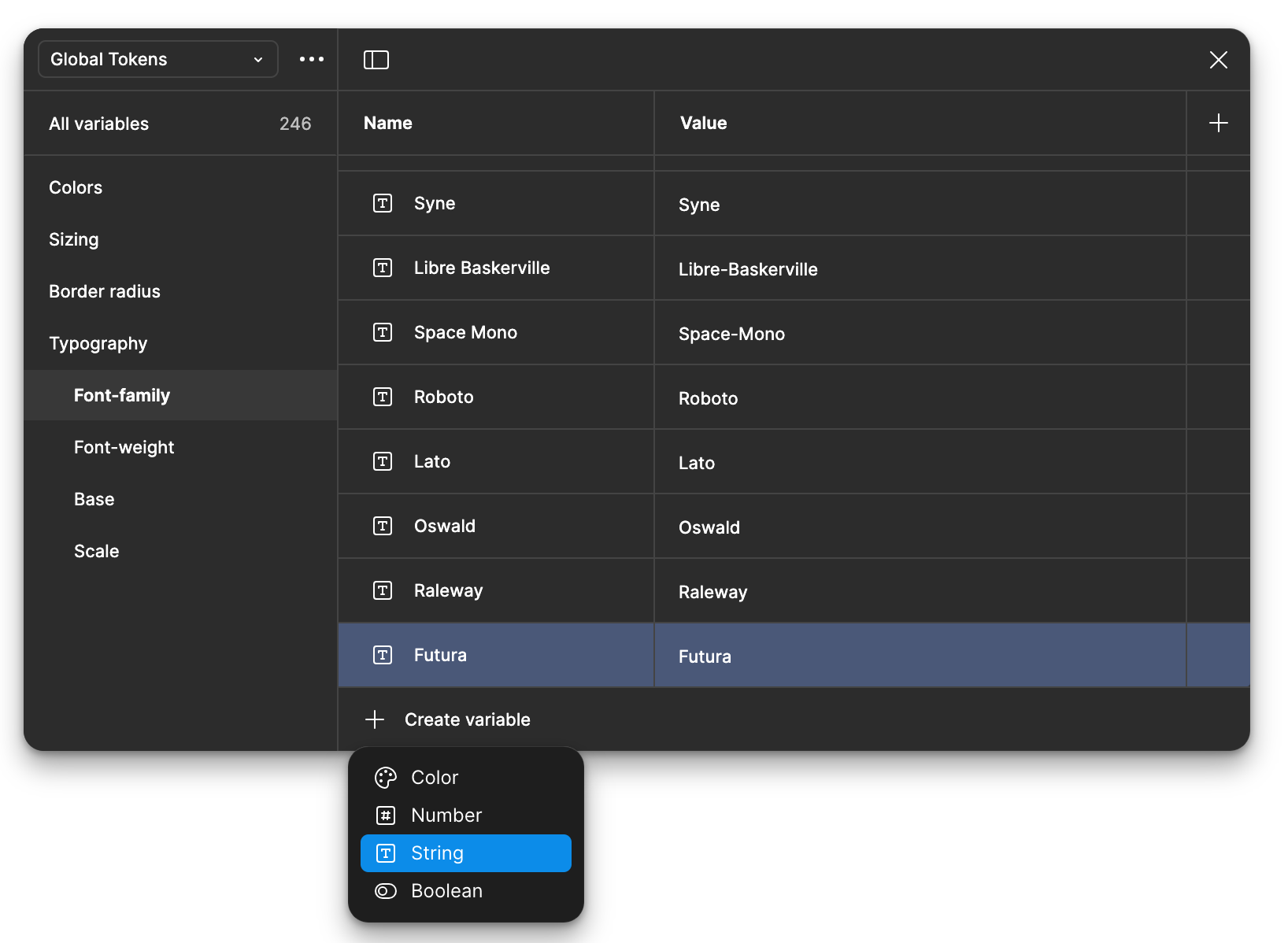
If you prefer to add a new font, go back to the variables panel, but this time, navigate to the Global Tokens layer, find the Font Family category, and create a new variable of type String. Assign a name and ensure the value matches the exact name of the font as it appears in Google Fonts for Figma to recognize it correctly.
---
# Agent Instructions: Querying This Documentation
If you need additional information that is not directly available in this page, you can query the documentation dynamically by asking a question.
Perform an HTTP GET request on the current page URL with the `ask` query parameter:
```
GET https://quantum-design.gitbook.io/qd-docs/typography/change-typography.md?ask=
```
The question should be specific, self-contained, and written in natural language.
The response will contain a direct answer to the question and relevant excerpts and sources from the documentation.
Use this mechanism when the answer is not explicitly present in the current page, you need clarification or additional context, or you want to retrieve related documentation sections.